




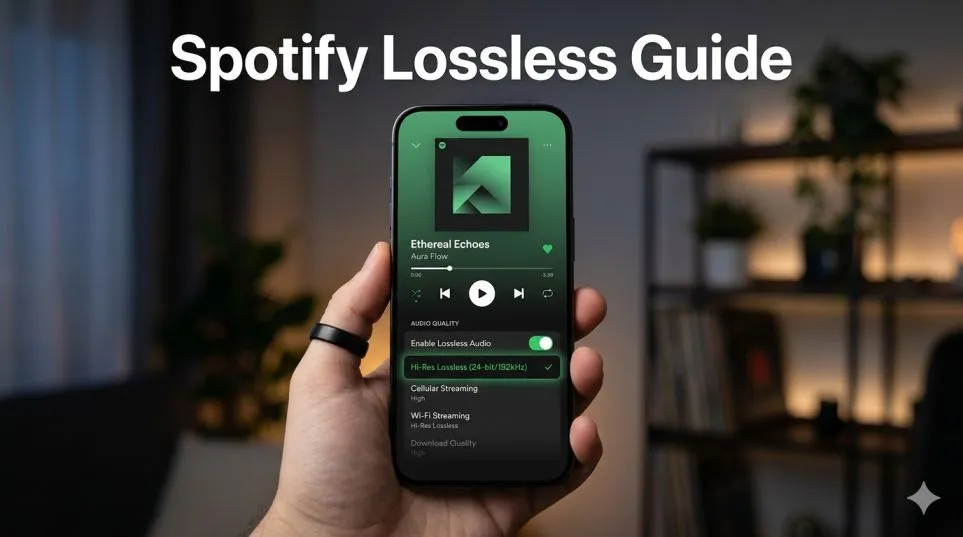
Let me start with something embarrassing.
I almost switched to Apple Music in 2023. Not because I hated Spotify. I loved my playlists. My Discover Weekly felt like it knew me better than my friends did.
But I’d just dropped $200 on a pair of wired headphones, and everywhere I looked, people kept saying the same thing: Spotify lossless music was the only way to actually hear what I’d been missing.
So I stayed. Grudgingly. Waiting.
Then last month, Spotify finally flipped the switch. Lossless audio Spotify showed up in my settings. No extra fee. No announcement. Just a quiet update that changed how I hear my favorite songs.
Here’s what you need to know before you turn it on yourself.
What Is Lossless Spotify? Let Me Clear Up the Confusion
When I first saw the "Lossless" badge pop up under a track, I had to stop and ask myself: what is lossless Spotify actually giving me? I’d heard the terms thrown around for years but never really understood them. Here’s the simple version.
Read Also: Where Can I Watch Wicked the Musical for Free?
Spotify now streams in 24-bit/44.1 kHz FLAC. Your standard Spotify stream runs at 320kbps. The files are small. They stream fast. But they’re also missing pieces of the original recording. The platform basically throws away certain details to make the file size manageable.
Lossless audio Spotify does the opposite. It preserves everything. Every breath. Every room tone. Every tiny cymbal decay that engineers spent hours getting right.
The 24-bit part matters too. That’s dynamic range—the gap between the quietest whisper and the loudest drum hit. When that number goes up, the music breathes more. You hear space between instruments. You hear the room the band recorded in.
Now for the part Spotify won’t tell you.
This isn’t Spotify hi res audio. Not really. Apple Music and Tidal go up to 24-bit/192 kHz. That’s four times the detail Spotify caps out at. Most people won’t hear the difference. But if you’re running a serious setup with a dedicated DAC and high-end headphones, you’ll notice Spotify is still playing in a lower league.
Also, no spatial audio. No Dolby Atmos. If you want music that wraps around your head, Spotify isn’t your platform.
How to Turn On Lossless Audio Spotify on Every Device?
The setting itself takes maybe 30 seconds to find. But I made a mistake in my first week that cost me 9GB of data. Don’t do what I did. Here’s the right way to enable it.
On Your Phone
Tap your profile picture. Go to Settings and Privacy. Find Audio Quality. Under Wi-Fi Streaming, pick Lossless. Under Cellular Streaming, pick Normal or High.
Lossless audio Spotify files are massive. A three-minute song jumps from about 7MB to 35MB. Stream that on cellular for a commute and you’ll burn through your data plan in days.
On Desktop
This is where people always ask me where to find lossless Spotify pc settings. Click your profile picture in the top-right corner. Settings. Audio Quality. Set both Streaming and Download to Lossless. That’s it. The option sits right next to the other quality settings.
One more thing. Not everyone has this yet. Spotify is rolling it out across 50 markets through October 2025. If you don’t see Lossless in your settings, your account just hasn’t gotten the update. Keep the app updated and check back in a week.
Does Spotify Lossless Music Actually Sound Better? I Tested It
I spent a Saturday afternoon switching back and forth between standard quality and lossless audio Spotify on the same tracks. Same headphones. Same volume. Same room. Here’s what I heard.
On wired headphones: Yes. Absolutely yes.
I picked Fleetwood Mac’s “Dreams” first. Standard quality sounded fine. Then I switched to Spotify lossless music and suddenly heard Stevie Nicks take a breath right before her voice comes in.
That breath isn’t there in the compressed version. The engineers left it in the original recording, but Spotify’s standard quality had been deleting it for years without me knowing.
You Must Also Like: How Many Songs Does Taylor Swift Have About Breakups?
Then the drums came in. The cymbals didn’t just wash over everything. They had texture. You could hear the stick hit, the metal vibrate, then fade. The acoustic guitar sounded like wood and strings instead of a digital approximation.
I tried Radiohead’s “Reckoner” next. The percussion in that track sits way in the background on standard quality. On Spotify lossless music, it moves forward. The tambourine has weight. The guitars have a metallic edge that I’d never noticed.
On Bluetooth headphones: Subtle but real.
I swapped to my AirPods Pro and ran the same test. The difference was smaller. Bluetooth can’t transmit full lossless audio. The signal gets compressed again before it reaches your ears. But starting with a better source file still helps. The music felt slightly more open. The low end had more definition.
If you only use Bluetooth headphones, lossless will improve things. But you’re not getting the full experience. On laptop speakers: Don’t bother.
Built-in speakers are the bottleneck here. No amount of Spotify hi res audio will make them sound detailed. If this is how you listen, keep Spotify on standard quality. You won’t hear the difference and you’ll save storage space on downloads.
Spotify Apple Music Tidal Lossless Comparison: Which One Wins?
I’ve tried all of them. Here’s my honest Spotify Apple Music Tidal lossless comparison based on actually using each service for weeks at a time.
| Service | Max Quality | Spatial Audio | Best For |
|---|---|---|---|
| Spotify | 24-bit/44.1 kHz FLAC | No | Playlist lovers, social features, existing users |
| Apple Music | 24-bit/192 kHz ALAC | Yes (Dolby Atmos) | Apple ecosystem users |
| Tidal | 24-bit/192 kHz FLAC | Yes (Sony 360) | Audiophiles, discovery-focused |
| Qobuz | 24-bit/192 kHz FLAC + DSD | No | Critical listeners, classical/jazz |
| Amazon Music | 24-bit/192 kHz FLAC | Yes (Dolby Atmos) | Prime members |
Spotify – For people who love playlists, share music with friends, or use Spotify Connect throughout their house. The lossless update makes it competitive on sound without losing what makes Spotify different.
Apple Music – For Apple users who want both lossless and spatial audio. Their hi-res tier goes higher than Spotify’s, and the Dolby Atmos mixes can be genuinely impressive on supported gear.
Tidal – For people who want hi-res audio and better artist payouts. Their discovery features are strong and the sound quality is objectively better than Spotify’s offering.
Here’s my honest take after living with all of them: If you’re already paying for Spotify Premium, just turn lossless on. It’s free. It sounds better. You lose nothing.
If you’re shopping for a new service and sound quality is your top priority, Spotify lossless music is good but not the best. Tidal or Qobuz will give you more detail and higher resolution.
What Do You Actually Need for Lossless Audio Spotify?
I’ve seen people subscribe to Tidal’s hi-res plan and listen through $20 earbuds. Don’t be that person.
What works:
-
Any wired headphones. Even the free ones that came with your old phone will show you some improvement.
-
Wi-Fi speakers that support Spotify Connect. Sony, Bose, and Sennheiser models work well.
-
A portable DAC if your phone lacks a headphone jack. I use a $40 dongle DAC and it makes a noticeable difference.
What doesn’t:
-
Bluetooth headphones of any kind. AirPods, Sony XMs, Bose QC—the connection compresses everything before playback.
-
Phone speakers, laptop speakers, cheap soundbars.
If you’re listening through Bluetooth 90% of the time, lossless audio Spotify isn’t a game-changer for you. It’s nice to have. But don’t upgrade your subscription expecting a revelation.
Where to Find Lossless Spotify PC Settings (And Why People Miss It)?
Every week I see people asking where to find lossless Spotify pc controls because the setting isn’t obvious. Open your desktop app. Look at the top-right corner.
Click your profile picture. Go to Settings. Under Audio Quality, you’ll see two dropdowns: Streaming Quality and Download Quality. Set both to Lossless. That’s it.
If you don’t see Lossless as an option, check two things:
-
Your app version. Update if needed.
-
Your region. Spotify is still rolling this out through October 2025.
The Data Reality Nobody Talks About
Spotify buries this in their settings menu for a reason. A standard track at 320kbps uses about 2.4MB per minute. A lossless FLAC track at 24-bit/44.1 kHz uses 10-15MB per minute. Do the math. Two hours of listening daily equals:
-
Standard quality: 288MB
-
Lossless: 1.2-1.8GB
Over a month, that’s 8-12GB extra just from music.
Here’s how I set mine up to avoid surprises:
-
Wi-Fi streaming: Lossless
-
Cellular streaming: Normal
-
Downloads: Lossless only for playlists I know I’ll listen to on Wi-Fi
Your phone will thank you.
Who Should Actually Use Spotify Lossless Music?
Lossless Spotify makes sense for three types of people:
People with wired headphones – You’re already equipped to hear the difference. Turn it on and enjoy.
People with Wi-Fi speakers – Spotify Connect streams lossless directly to compatible speakers without Bluetooth compression. This is probably the best listening experience Spotify offers right now.
People who care about their downloads – If you download albums to your phone for flights or commutes, lossless versions sound noticeably better. Just watch your storage. Lossless albums eat space fast.
Lossless audio Spotify probably isn’t worth the storage and data hit if you:
-
Mostly use Bluetooth headphones
-
Listen through built-in speakers
-
Have a limited data plan
-
Don’t notice or care about audio quality differences
What I Wish Someone Told Me Before I Turned It On?
First, it’s not a revelation for every track. Some songs don’t have enough detail in the recording to benefit. Pop productions with heavy processing can sound identical. Acoustic recordings, jazz, classical, and well-mixed rock benefit the most.
Second, you’ll need to adjust your expectations. Spotify lossless music isn’t trying to compete with audiophile services. It’s Spotify catching up to what Apple and Tidal have offered for years. For the average listener, it’s plenty good. For the serious listener, you’ll still want to look elsewhere.
Third, try it before you judge. I almost dismissed lossless as marketing hype until I sat down with good headphones and actually compared. The difference surprised me. It might surprise you too.
Should You Turn It On?
If you’re a Spotify Premium subscriber, yes. There’s no downside besides data usage and storage. Set your preferences carefully, then forget about it.
If you’re considering Spotify because of lossless audio Spotify, ask yourself how you actually listen. If it’s mostly through Bluetooth, the quality bump will feel small. If you’ve got wired headphones or Wi-Fi speakers, this update makes Spotify genuinely competitive again.
I’ve been using it for three weeks now. I don’t think about it anymore—I just notice that my favorite albums sound richer than they used to. That’s enough for me.